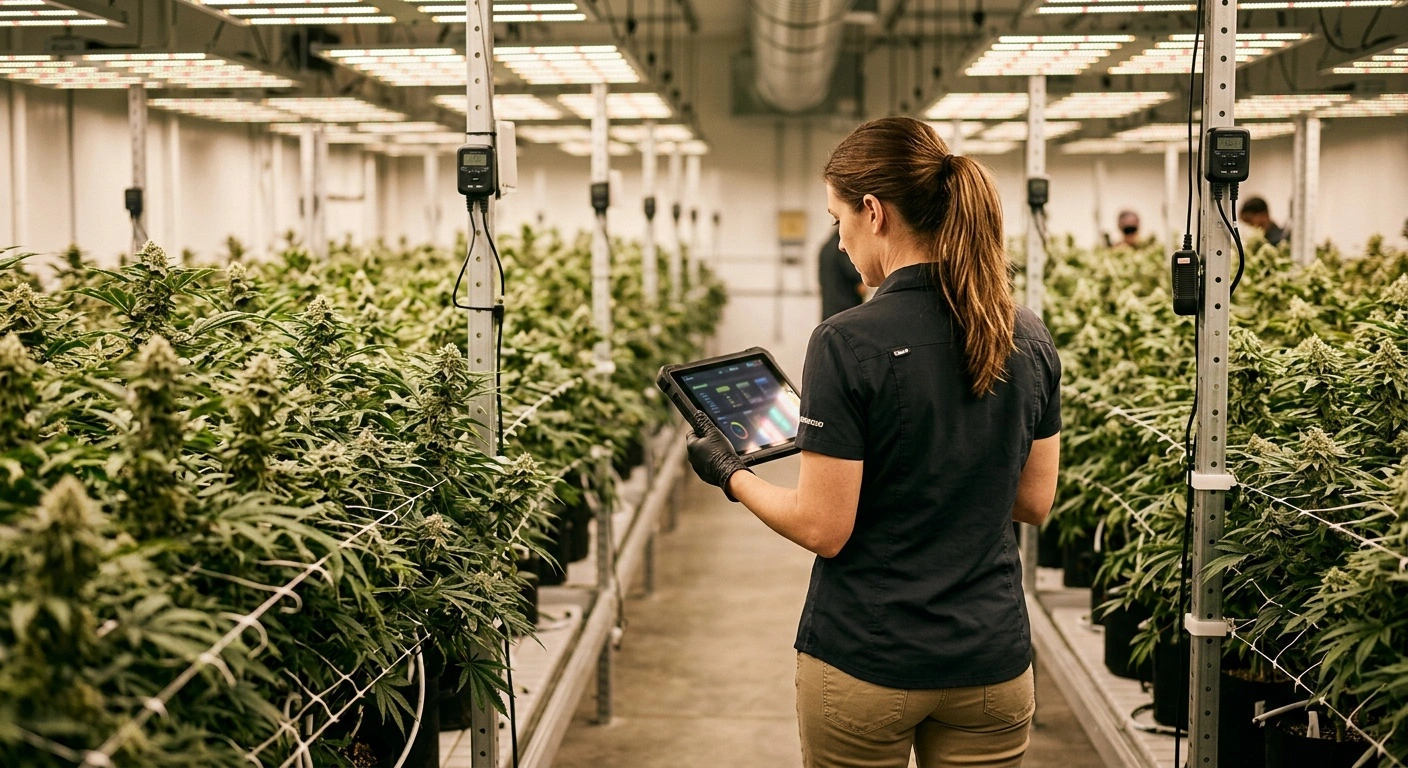
Cannabis cultivation software helps growers track plants, schedules, labor, inventory, and compliance records in one system. A well-chosen platform replaces scattered spreadsheets and gives cultivation teams a clearer view of daily operations.
However, software cannot fix weak processes on its own. Growers still need consistent data entry, clear responsibilities, and standard operating procedures that match the way the facility works.
How Cannabis Cultivation Software Supports Daily Operations
Cultivation teams manage thousands of details across each production cycle. They schedule irrigation, monitor room conditions, apply nutrients, scout for pests, and record plant movement. Missing one task can affect yield, quality, or compliance.
A cultivation platform brings those records together. Managers can assign work, check completion times, and review crop performance without searching through paper logs or separate files.
Plant and Batch Tracking
Plant tracking starts with propagation and continues through harvest. Teams can record strain names, plant counts, locations, growth stages, batch numbers, and key dates. Accurate records make it easier to find discrepancies before they spread through the system.
Many platforms also support barcode or RFID workflows. Staff can scan plants or batches during moves, destruction, harvest, and inventory counts. Scanning reduces manual typing, but teams still need a process for damaged or missing tags.
Task Scheduling and Labor Management
Crop schedules involve recurring work such as transplanting, pruning, feeding, scouting, and cleaning. Software can turn those schedules into assigned tasks with deadlines and completion records.
Managers can then compare planned labor with actual labor. That information helps them spot rooms or cultivars that require more time than expected. It also supports better staffing decisions for harvest days and other heavy workloads.
Environmental and Irrigation Records
Some systems connect with environmental controls, irrigation equipment, or sensor platforms. These integrations can place temperature, humidity, carbon dioxide, substrate, and water-use data beside crop records.
Integration quality varies by vendor and equipment type. Before buying, confirm which data points the platform can import, how often it updates, and whether staff can export the original records.
Compliance and Seed-to-Sale Reporting
Licensed cannabis businesses must follow the rules of their jurisdiction. Those rules may cover plant tags, inventory adjustments, waste, transfers, testing, harvest reporting, and record retention. Requirements can change, so operators should verify current guidance with their regulator or compliance adviser.
Some cultivation platforms connect with government-mandated tracking systems such as Metrc. A connection can reduce duplicate entry, but it does not guarantee accurate reporting. The license holder remains responsible for the data submitted to regulators.
Teams should review failed transfers, rejected submissions, and synchronization errors every day. They also need a documented correction process. Waiting until an inspection or inventory count often turns a small error into hours of reconciliation work.
Features Worth Evaluating
The right feature set depends on facility size, production methods, and reporting needs. A small indoor grow may value simple scheduling, while a multi-site operator may need stronger permissions and consolidated reporting.
Crop Planning and Forecasting
Planning tools should help managers estimate plant counts, room turns, harvest dates, and expected yields. Look for flexible schedules that account for different cultivars and production methods. Fixed templates often create extra work when crop timing changes.
Inventory and Inputs
Useful inventory tools track nutrients, growing media, biological controls, packaging, and other supplies. Low-stock alerts can prevent delays, while lot records support investigations into crop issues.
Check whether the system supports the unit conversions your team uses. Poor handling of gallons, liters, pounds, and kilograms can distort application records and purchasing reports.
Quality and Crop Health Records
Scouting tools should let staff record pest pressure, disease symptoms, deficiencies, and corrective actions by room or batch. Photos and standardized issue categories make those records easier to compare.
Good records help managers identify patterns. For example, they may connect recurring mildew pressure with a specific room, season, or stage of growth.
Reporting and Data Export
Reports should answer practical questions without extensive cleanup. Managers may need yield by cultivar, labor by room, cycle time, cost per pound, destruction rates, or forecast accuracy.
Always test exports during the evaluation. The platform should provide usable data in common formats, with clear field names and date ranges. Access to complete records matters if the business changes vendors later.
Permissions and Audit History
Role-based permissions limit who can edit sensitive records. An audit log should show who changed a value, when the change occurred, and what the previous value was.
These controls support accountability and faster troubleshooting. They also help multi-site operators apply consistent rules across facilities.
How to Choose Cannabis Cultivation Software
Start by mapping the current workflow. Document who records each activity, which tools they use, and where errors or delays occur. This work gives vendors a real operating scenario instead of a generic feature checklist.
Then ask each vendor to demonstrate that scenario using its product. Have the vendor show plant creation, room moves, harvest, adjustments, waste, reporting, and error correction. A polished dashboard matters less than a complete daily workflow.
Include growers, compliance staff, inventory teams, and finance leaders in the review. Each group sees different risks. Frontline employees can also identify extra steps that managers may overlook.
Questions to Ask Vendors
- Which regulatory systems and hardware platforms do you support?
- How does the system handle failed synchronization or conflicting records?
- Can users work on mobile devices in rooms with weak connectivity?
- What training and support does the subscription include?
- How often does the company release updates?
- Can we export all records without paying an additional fee?
- How does the vendor protect data and manage backups?
- What happens to our records if we cancel the service?
Implementation Practices That Reduce Disruption
Assign one person to own the rollout, but involve department leads in setup. Define naming conventions, user roles, required fields, and approval steps before importing live data.
Run a pilot in one room or production group. The pilot should cover a full set of routine tasks, including corrections and exceptions. Fix confusing steps before expanding the system across the facility.
Training should use actual facility examples. Staff need to practice scanning tags, closing tasks, recording applications, and resolving mistakes. Short follow-up sessions often work better than one long class.
Finally, review data quality on a set schedule. Managers should check missing records, late tasks, unusual adjustments, and integration errors. Consistent review keeps the system useful after the initial rollout.
Building a Reliable Cultivation Data System
Cannabis cultivation software works best when it reflects real production practices and gives each employee clear responsibilities. The strongest platform is the one staff can use accurately during a busy shift.
Choose software based on workflow fit, reporting quality, support, security, and data access. Then pair it with documented procedures and routine audits. That approach creates dependable records and gives managers better information for planning each crop cycle.